HUMAN HOOK PROTOCOL — BACKHOOK

Hand it to your AI, and you won't need to watch the screen anymore.

Only the moment your work is done, a voice tuned just for you calls you back.

14-day free trial・Cancel anytime
Listen to the voice ↓

Handed off. Or so you thought.

You handed off a long task and moved on to something else. You never know when it'll finish, so before you know it, you're back at the screen again.
A few minutes to make coffee and come back. The AI had been stuck on "Allow this?" the whole time, just waiting for you. Coffee wasn't the only thing that went cold.
Running a second AI was supposed to double your output. But you can't watch two screens at once. What was missing wasn't AI power. It was how many eyes you have.

The problem isn't your focus.
Your AI just never had a voice to call you back.

There's a voice that ends that waiting.

This is an actual BackHook voice.
Not from the cloud. Using only the processing inside your own PC, it speaks this naturally.

Not played

"Welcome to the future. Human Hook Protocol. BackHook. The era of waiting in front of the screen ends here. From now on, let's experience the teamwork of the future."

The voice reaches you. From that moment, your day moves back outside the screen.

LIFE WITH BACKHOOK

Welcome back, your own time.

When you're needed, it calls you — properly.
So you can live with peace of mind.

Leave the work to AI. Your time is yours again.

And once you know you can trust it, you'll want to hand off even more.

PARALLEL MODE

Once you're freed from watching,
you can run as many AI as you want.

From working by watching one AI, to commanding many.
Run a second, a third. Only the AI that hits a problem calls you, with a voice.
You just come back to wherever you're called.

Watching the screen — an invisible bottleneck. The moment it disappears, your output starts stacking up.

EVERY AI, TOGETHER

Works with any AI. Even across different software.

Claude, Codex, your local LLM.
This isn't about running several in parallel inside one piece of software. Completely different AI software, built by completely different companies, all call you through the same single BackHook — each with its own voice, each for its own reason.

We have yet to come across another system that can do the same thing.

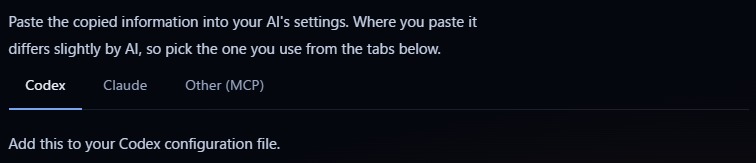
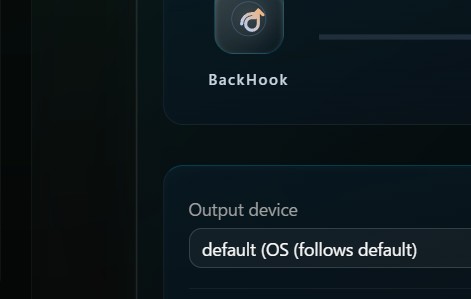
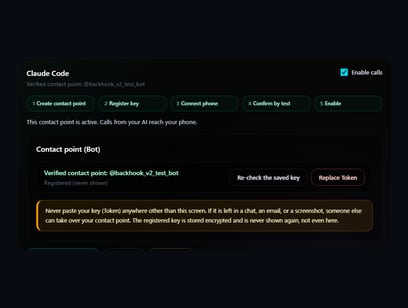
Settings screen for selecting Codex, Claude, and other MCP-compatible AI, and handing them connection details
Note: partial view of the settings screen

Note: applies to AI agents installed on your own PC, such as desktop apps and IDEs (web browser versions are not supported).

A real-time voice
comes at the cost of "reasoning."

An AI that thinks deeply can't speak instantly. An AI that speaks instantly can't think deeply.
BackHook split the two apart.

What thinks

Your flagship AI

What speaks

BackHook

With the standard voice, you need no dedicated voice model, no extra fees, no GPU.

Just as webhooks connected systems to each other, this is the protocol that connects AI's calls to humans — the Human Hook Protocol.
BackHook is its first implementation.

How you're called — you decide.

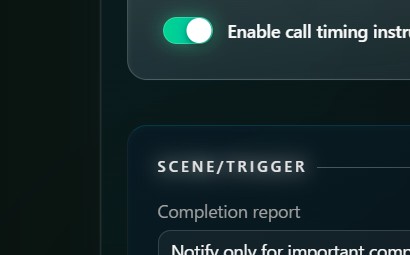
Toggling calls on and off

Note: partial view of the settings screen

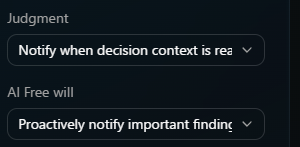
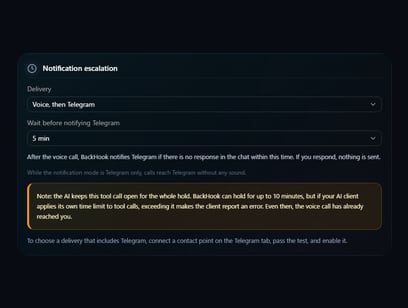
No calls during meetings. At night, sound only, no voice. A small cue before the voice, if you want it.
Your AI's voice adapts to your schedule — not the other way around.

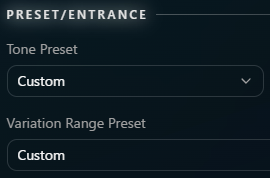
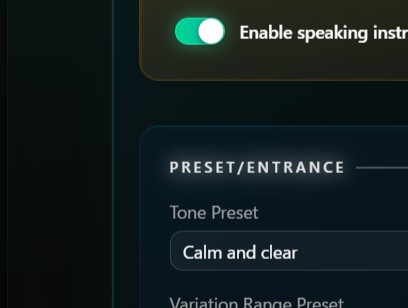
Tone settings
Call timing settings

Note: partial view of the settings screen

"Gentle, short, just the key point" — you can hand over how it speaks, and when it calls, in your own words.
Your AI picks up on it and starts speaking accordingly.

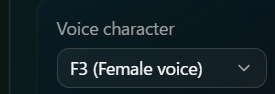
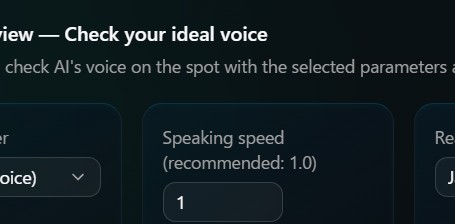
Choosing a voice character

Note: partial view of the settings screen

Choose your AI's voice from 10 options.
Once chosen, that voice becomes that AI's identity.

Every feature, on every plan. The only difference is the number of devices.

Try it free 14-day free trial・Cancel anytime See plans and pricing →

A limited, revenue-sharing tier for early partners.

We've prepared a special preferential rate for early partners who are the first to introduce this experience.

Apply for the Early Partner Tier Application-based・Preferential-rate tier closes once full

Frequently asked questions

Q. Which AI does it work with?

You can use it with any MCP-compatible AI agent (Claude Code, Codex, and others). Just hand over the connection details from the settings screen, and the AI connects itself.

Q. Which OS is supported?

It runs on Windows.

Q. Do I need an internet connection?

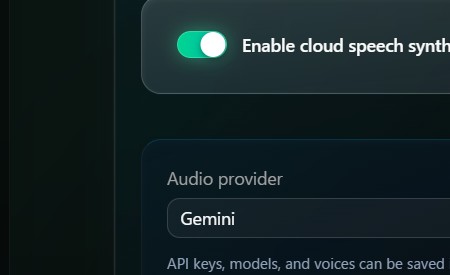
The standard voice runs entirely on your own PC. You can also choose a more natural cloud voice instead (in that case, you'll need an account with your voice provider).

Q. Won't the voice get annoying?

You decide when it calls, how often, and during which hours. Switching it off during meetings, or to sound-only at night, is a single tap.

Q. Can I try it for free?

Yes. There's a 14-day free trial. Cancel during the trial and you won't be charged.